
Robot learning has a strange entry problem. The ideas are not that hard, but the way in is: a GPU, a simulator that takes an afternoon to install, a robot arm, and a stack of papers that all assume you already know the stack.
So I built the thing I wanted when I started: Boinkie's Robot Lab, a place where you can learn robotics and robot learning by actually doing it, with nothing to install and no account.
Try it: gvc222.github.io/robot-learning-lab
Code: github.com/gvc222/robot-learning-lab
The idea: your first week on the job
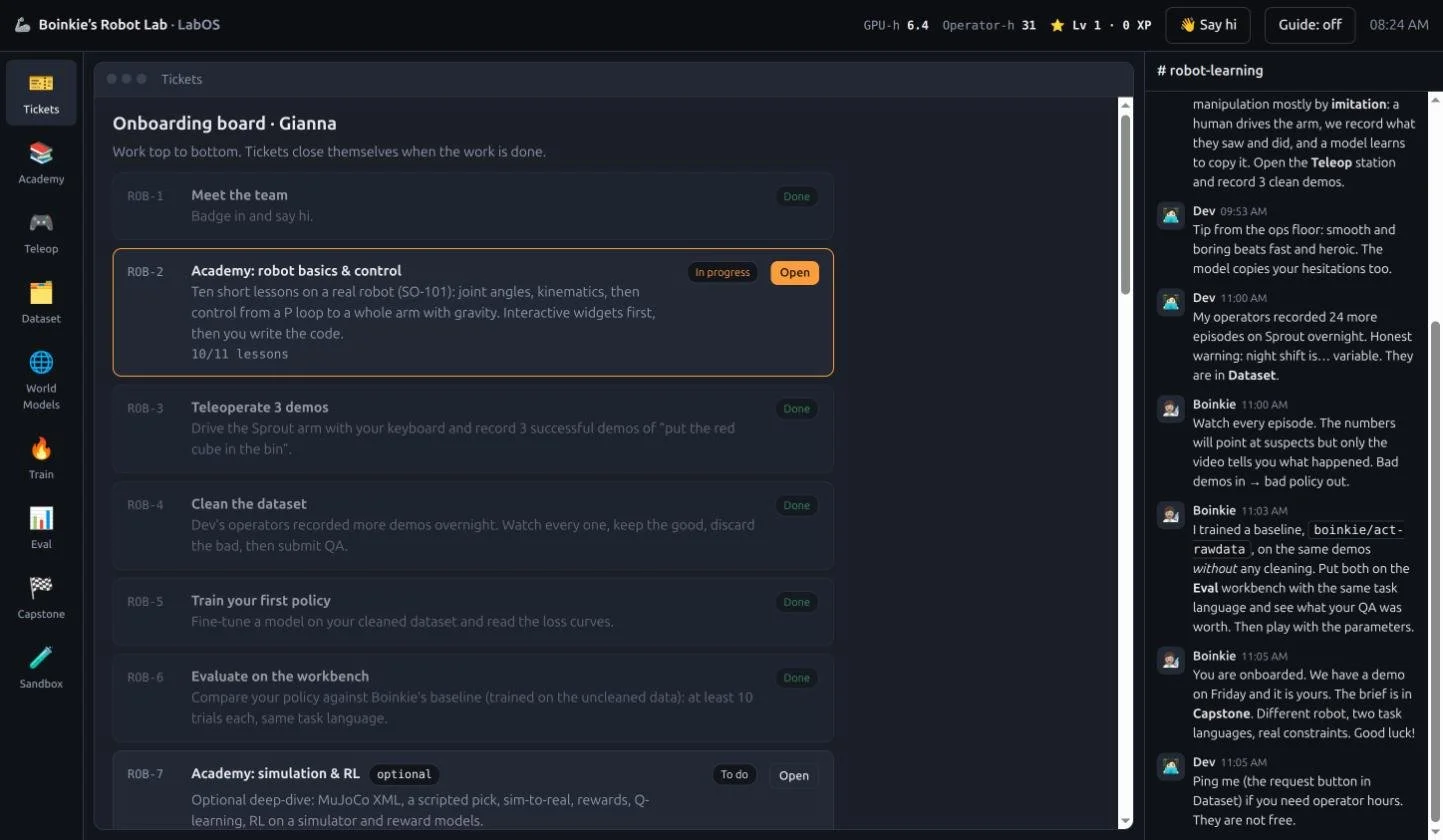
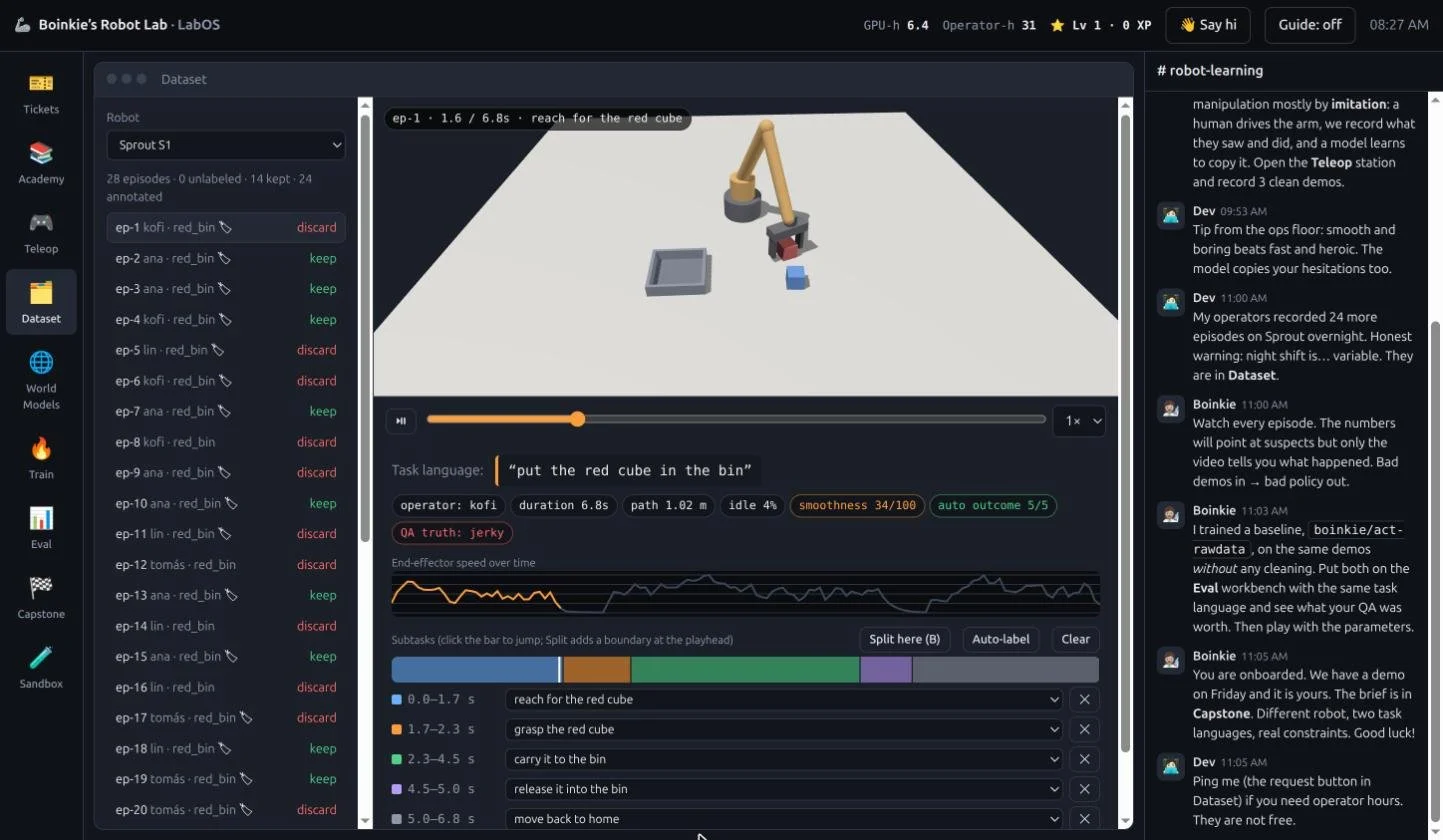
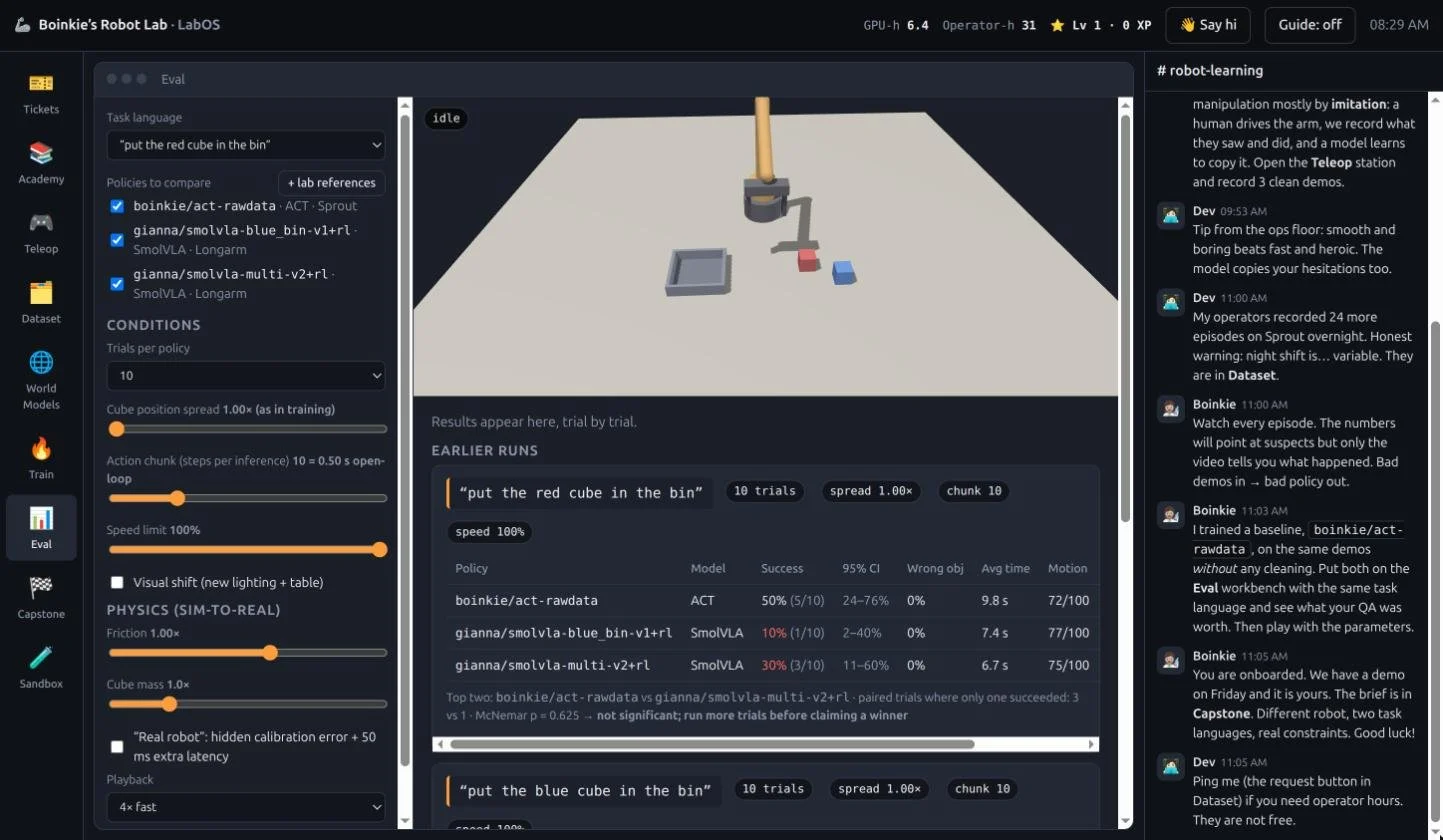
You don't read about robot learning. You badge in, and Boinkie (my in-lab research lead) hands you a board of tickets. Write a little robot code. Teleoperate an arm to collect demonstrations. Clean a messy dataset by watching every episode, choosing what to keep or discard. Train a policy. Prove it on an evaluation workbench. Then ship one on your own!
Everything runs in the browser, and the parts that matter are real:
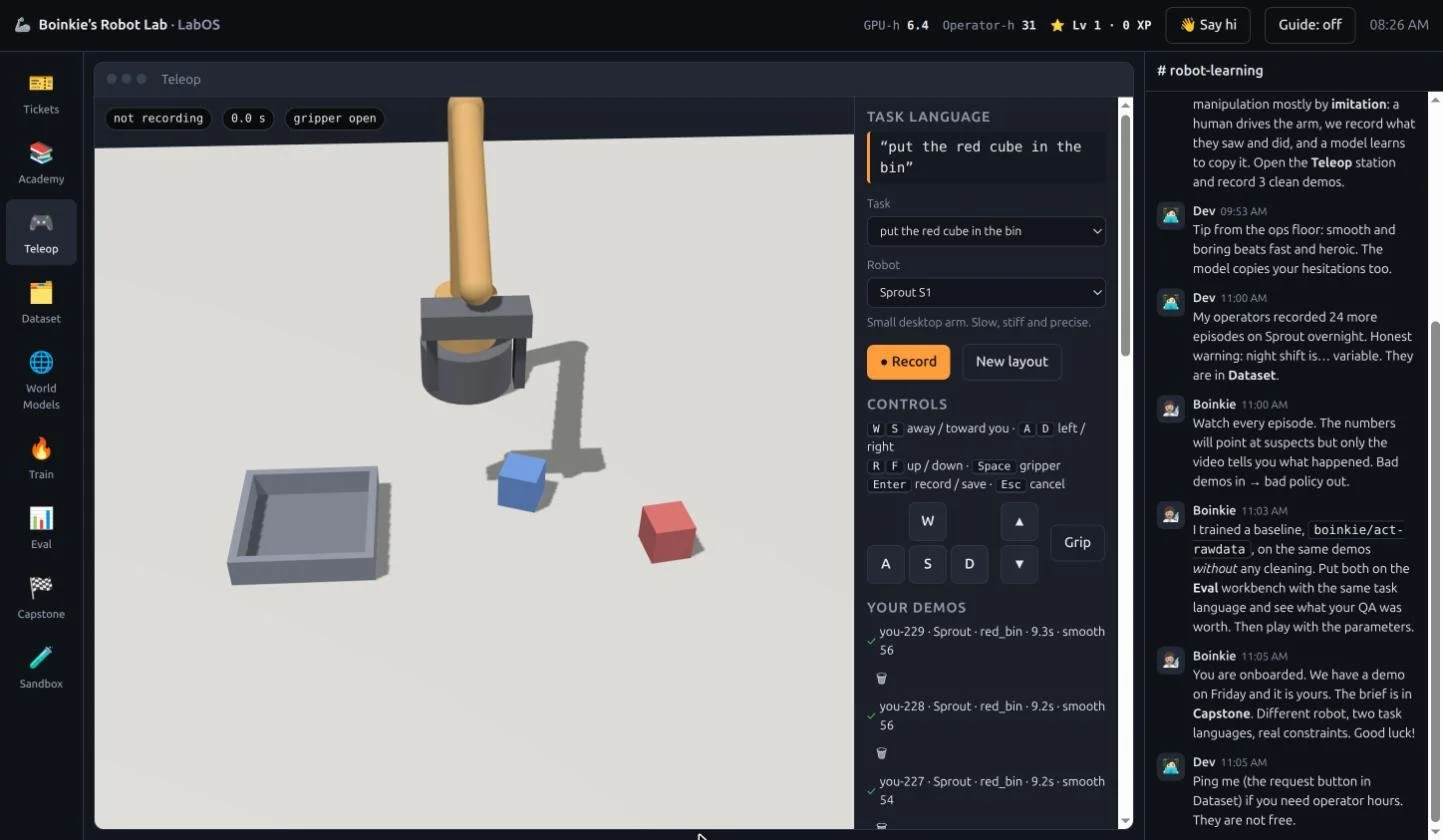
The physics is real. The arm, cubes and bin run in MuJoCo (the official WebAssembly build). A grasp succeeds or fails because of contact and friction, not a dice roll.
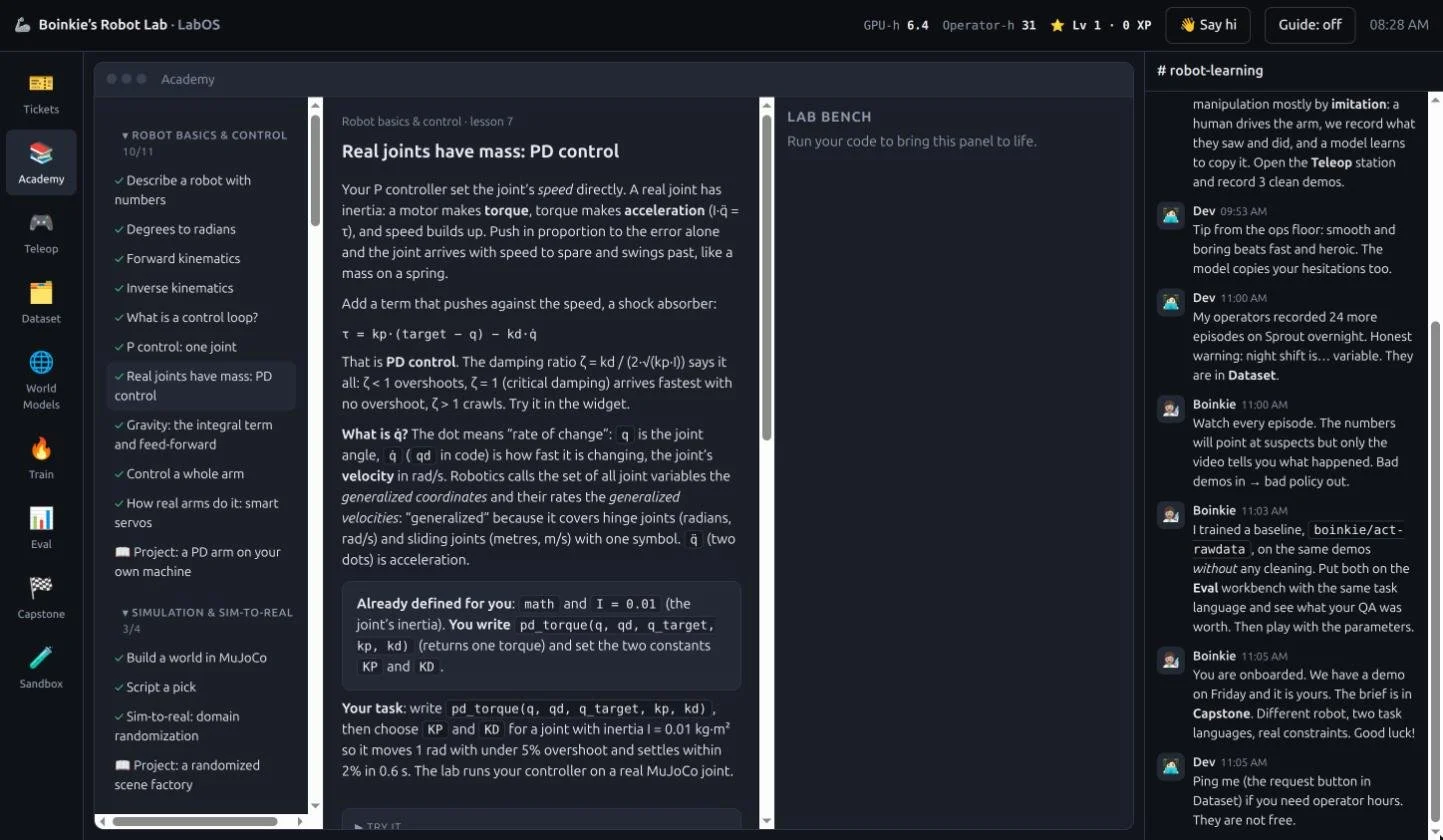
Your code is real. Lessons run actual Python against actual tests, and several check your answer against the simulator itself.
Some models really train. A small neural network trains in your browser on demonstrations you collect, and you can watch its success rate go from "never" to "usually" as the data grows.
How to use it
Open the lab and badge in. No install, no account. Boinkie hands you your ticket board.
Pick a ticket. Each one is a short lesson: write a bit of robot code and run it against real tests.
Collect demonstrations. Teleoperate the arm in the simulator to record your own episodes.
Clean your dataset. Watch each episode back and decide what to keep and what to discard.
Train and evaluate. Train a policy, then prove it on the evaluation workbench.
Ship one on your own. Open the Capstone ticket: a brief with a different robot, two task languages, real constraints and metrics to hit.
What's in it
As of Nov 16 2026, there are 13 courses and 94 lessons. A few of my favourites:
Robot basics and control. Forward and inverse kinematics on a real SO-101 arm, then P, PD and PID control. Drag a gain and watch the joint swing in 3D.
Simulation pipeline. The whole loop in one course: generate scenes, collect trajectories, train, run the policy, and evaluate it offline and online, with confidence intervals so you can tell a real improvement from noise.
Reinforcement learning with a humanoid. You write the reward function and a MuJoCo humanoid learns to stand. Then you swap in a reward that only pays for forward speed and watch it throw itself forward and fall. Nothing explains reward hacking like seeing it.
Computer vision. A companion to Stanford's CS231n, built from scratch in plain Python: convolution, a classifier with a gradient check, a tiny autograd, detection with non-max suppression.
Hardware and sandbox. Motor setup for a real SO-101, a leader-arm interface over USB, and a webcam hand tracker that drives a simulated dexterous hand.
Every course ends with an optional project you build outside the browser: Isaac Lab or MuJoCo for RL, LeRobot for recording and training on a real arm, Nav2 for SLAM, and more. You can submit your project link in the app, and it builds a portfolio you can download.
And because learning should feel good, there is XP, levels and course badges, with congratulations from Boinkie and a little confetti when you finish a course.
What is real and what is pretend
I think a teaching tool owes you honesty about this, so the README has a full list. The short version: physics, your code, teleoperation, evaluation statistics, the LeRobot export and the small neural network are real. Training the big models in the Train app is a readable formula standing in for GPU-days, and the numbers on the model cards (GPU-hours, VRAM) are plausible but invented. Paper results quoted in lessons are real and linked. I checked them against the papers.
Things that surprised me while building it
Offline loss only roughly predicts success. Checkpoints with lower error often, but not always, work better on the robot. The evaluation lessons make you measure that yourself.
Bound your loops. My scene-generator lesson hung the whole page for any student who wrote a while loop that could never finish. Now it teaches bounded retries, and that is a better lesson than the bug.
One exception can freeze a whole app. My webcam hand tracker looked broken for days. The real cause was a single error thrown every frame, which silently killed the render loop.
Who it's for
If you are curious about robot learning and have never touched a robot, start with the Robot basics course. If you already know kinematics and PID, skip ahead to the simulation pipeline or the vision course. If you have a real SO-101 arm, the hardware course walks you from motor IDs to a first policy.
I built this together with Claude as a pair programmer, which is a big part of why one person could make something this wide. I'd love to see what you build with it.
Say hi
GitHub: gvc222
LinkedIn: Gianna Calderon
Discord: boinkie
If you finish a project, send it my way! Feel free to create issues or submit PRs on the git repo. Course requests are also very welcome.
